Summary
Not sure whether your case is a Meshlicious or Meshroom S V2?
This guide walks you through simple visual checks — including panels, frame structure, and serial numbers — to quickly identify your SSUPD case.
How to Tell If Your Case Is Meshlicious or Meshroom S V2
If your case doesn’t look like expected, follow the steps below to quickly confirm which model you have.
Step 1 — Check the Panel Design (Fastest Way)
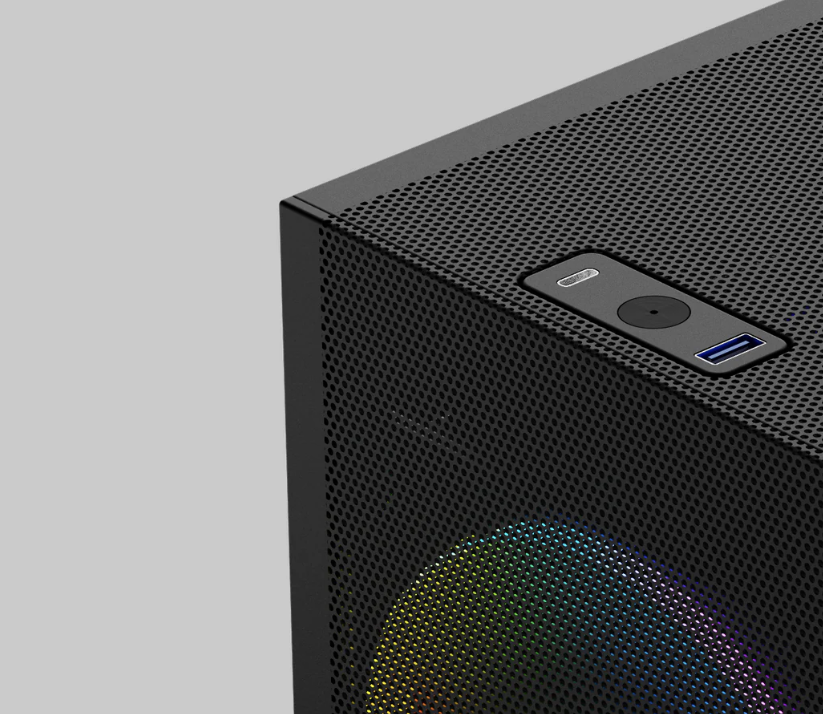 | 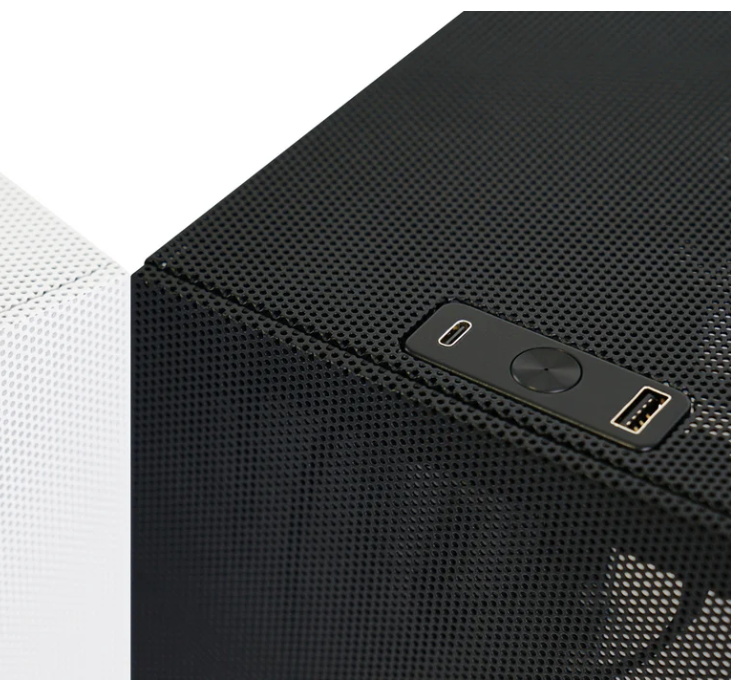 |
Meshlicious | Meshroom S V2 |
|
|
Step 2 — Check the Frame Structure
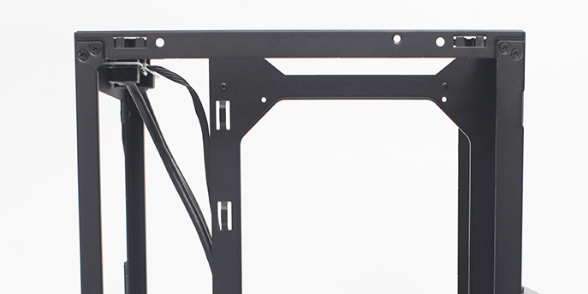 | 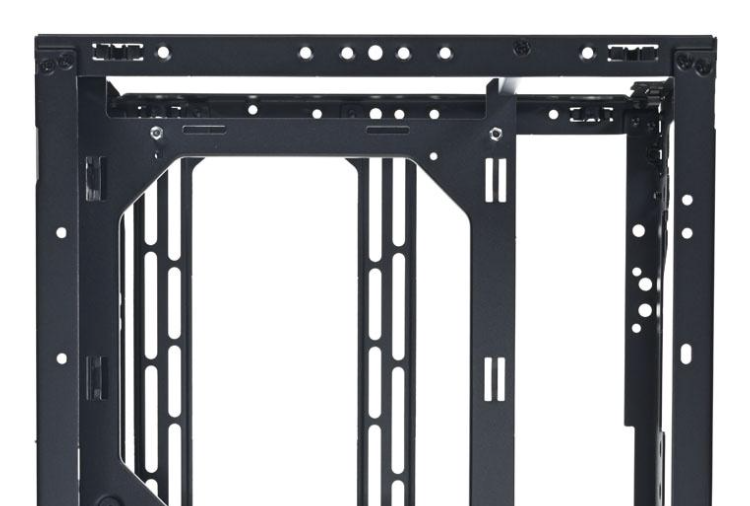 |
Meshlicious | Meshroom S V2 |
|
|
Step 3 — Check the Bottom Structure
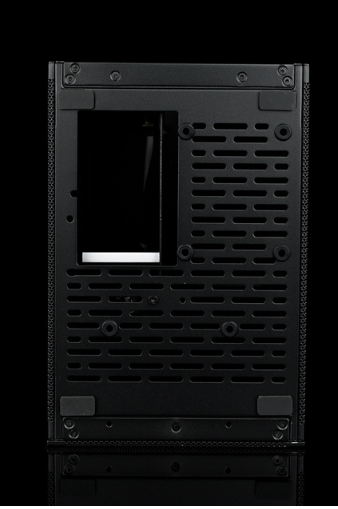 | 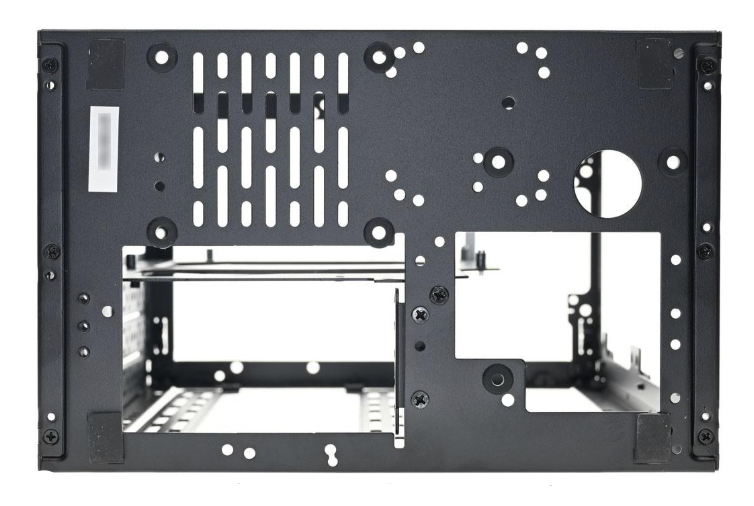 |
Meshlicious | Meshroom S V2 |
|
|
Step 4 — Check Serial Number (Most Reliable)
Look at the label on the bottom of the case:
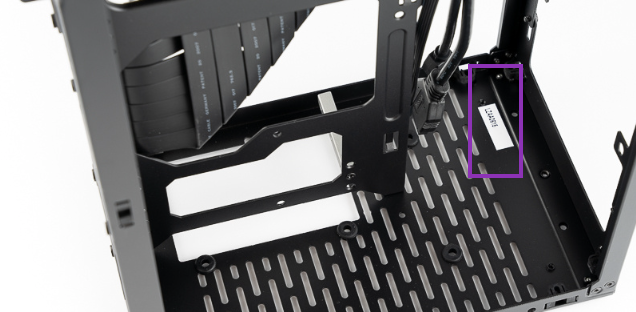 | 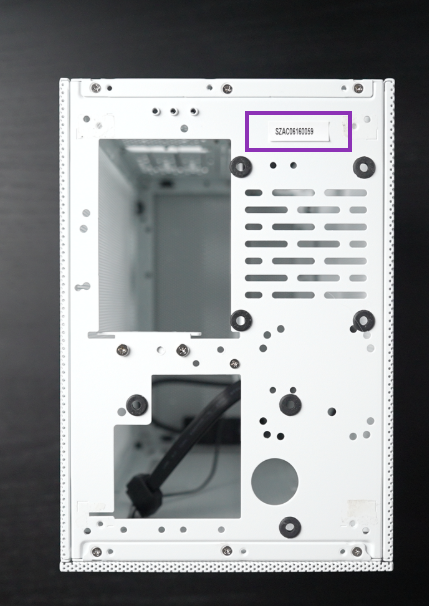 |
Meshlicious | Meshroom S V2 |
| Typically starts with: LZ Label is usually located inside the chassis | Typically starts with: 75S / 76S /SZ Label is located on the bottom exterior of the case |
Important Note: Meshroom S V2 Variant A vs Variant B
Even if your case is Meshroom S V2, you may notice small differences — this is because there are two production variants.
| Feature | Meshroom S Variant A | Meshroom S Variant B |
| Production Period | Earlier production | Updated version (2025 Q3 onwards) |
| I/O / Power Button | Standard packaging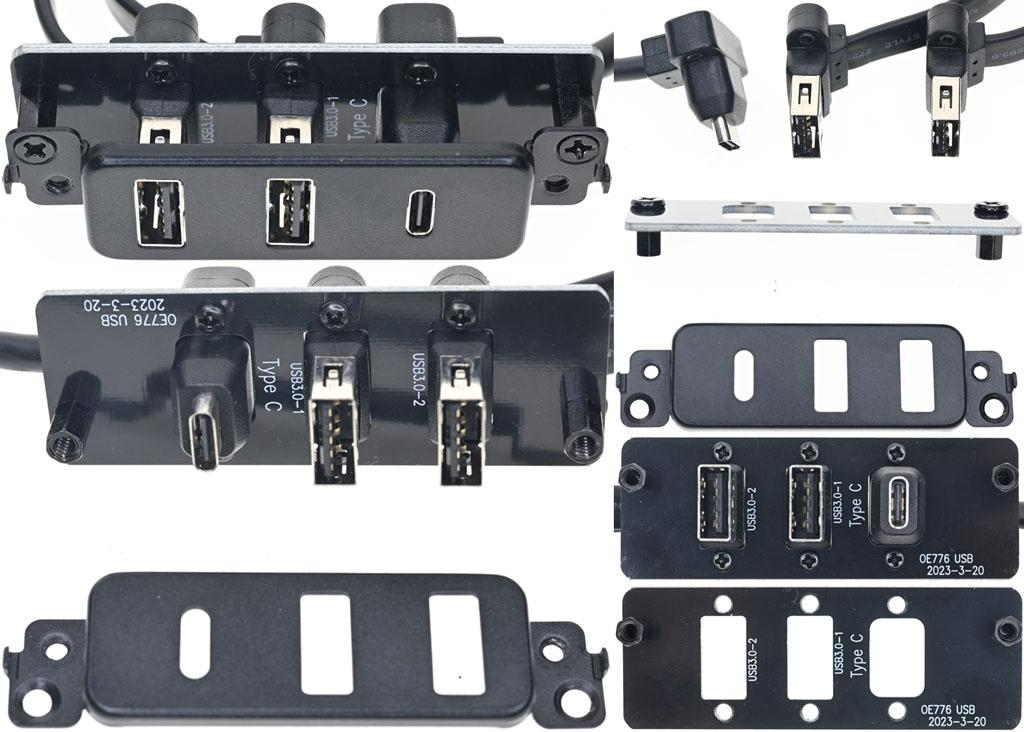 | Upgraded integrated power switch module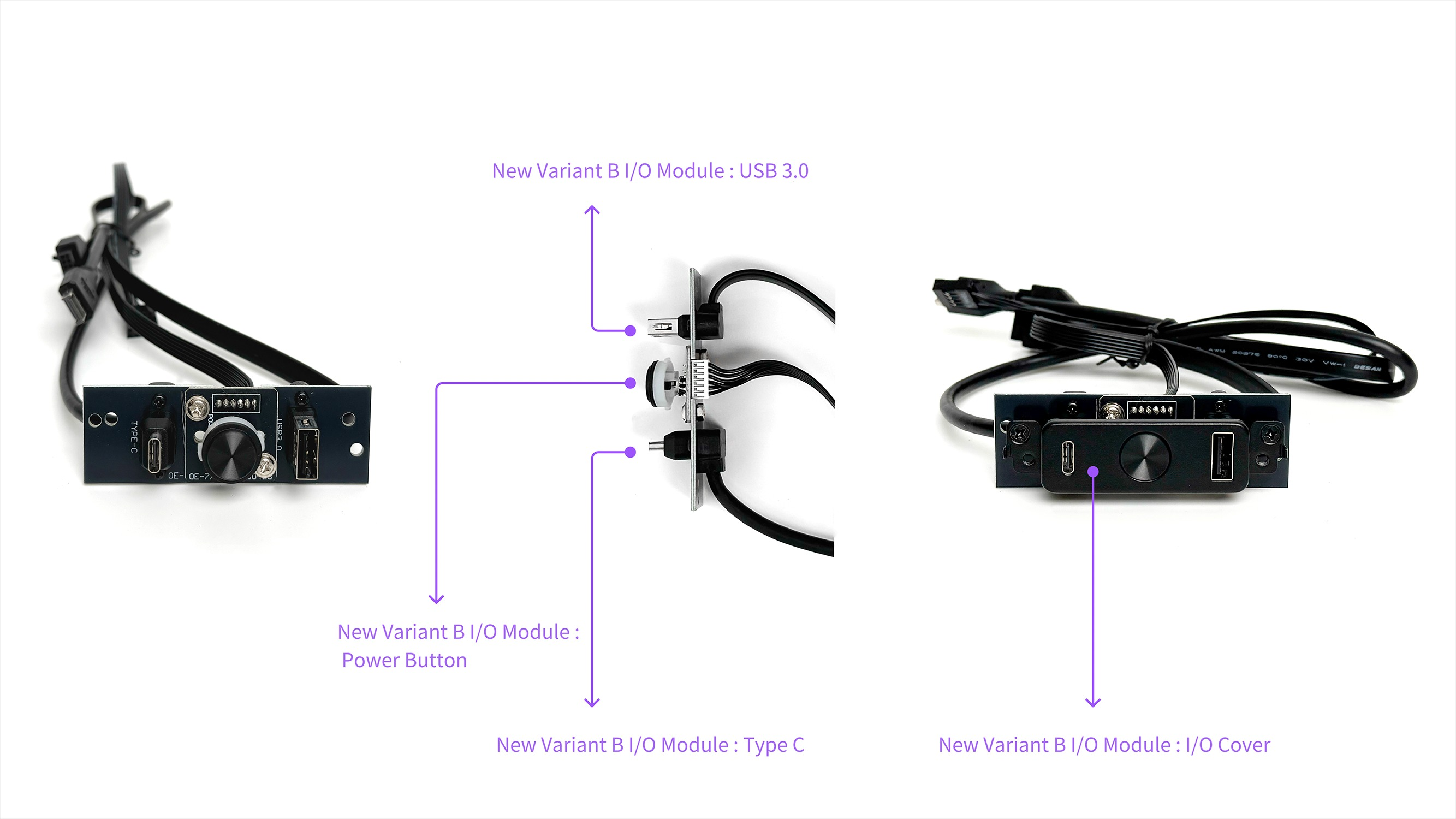 |
| Accessory Box | 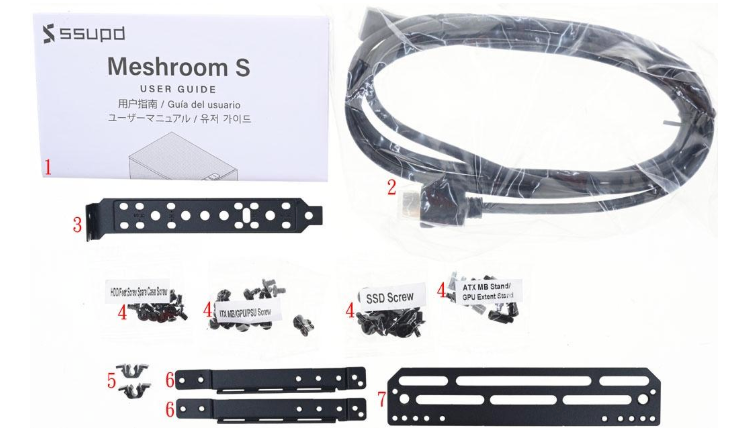 | 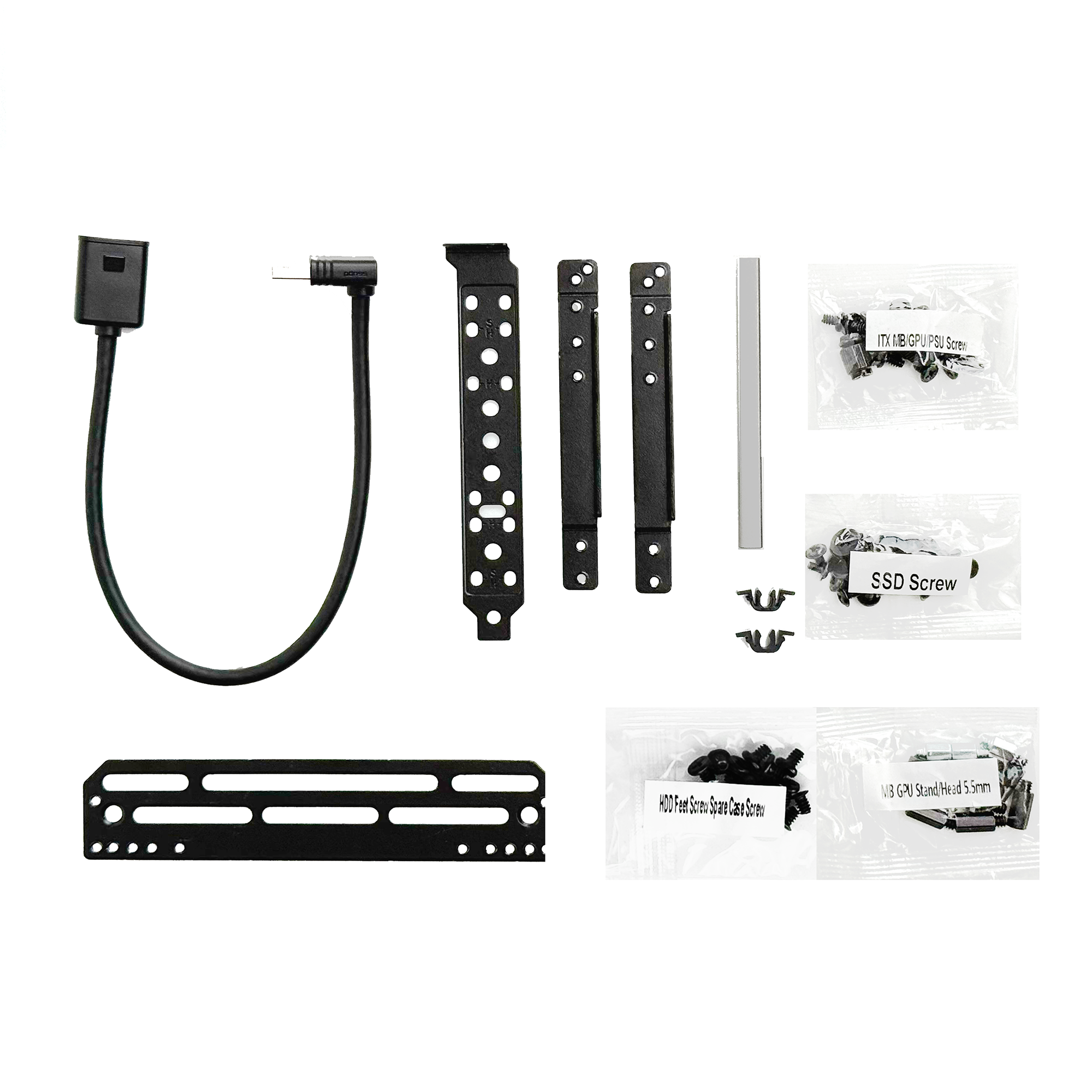 |
| Case Structure | Same | Same |
| Compatibility | Same | Same |
- Same core structure and compatibility
Meshroom S V2 Variant A and Variant B are both 100% genuine Meshroom S V2. Differences are minor improvements only — no impact on compatibility or performance.
Step 5 — Still Not Sure? Send These 4 Photos
To confirm quickly, please provide:
- Outer carton label
- Bottom SN label
- Panel photo
- Frame photo
We can verify:
- correct model
- wrong item picked
- carton mismatch issue
FAQ
Q1: Can I still receive a Meshlicious by mistake?
Very unlikely. Meshlicious has been discontinued since 2022, and all current shipments are Meshroom series. Very limited units may come from older inventory still held at the retailer level.
Q2: Why does my Meshroom S V2 look different from photos?
You may have Variant A vs Variant B, which differ slightly in:
- power button / I/O
- accessory box
But the core case is the same.
Q3: Does Meshroom S V2 Variant A vs B affect compatibility?
No.
- Same GPU / PSU / cooling compatibility
- Same frame and layout
Q4: What should I do if I received the wrong product?
Contact your retailer or SSUPD support with the 4 photos above — we’ll resolve it quickly.
Was this article helpful?
That’s Great!
Thank you for your feedback
Sorry! We couldn't be helpful
Thank you for your feedback
Feedback sent
We appreciate your effort and will try to fix the article